
TL;DR Maintaining a consistent daily routine is essential for productivity and personal growth. Notion, a versatile all-in-one workspace, offers a variety of templates to help you track and manage your daily habits effectively. Whether you’re aiming to build new habits or maintain existing ones, these templates can provide the structure and motivation you need.
Key Takeaways
- Top Templates: Discover the best free Notion routine tracker templates.
- Customization Tips: Learn how to personalize templates to fit your unique needs.
- Efficiency Strategies: Implement actionable tips to enhance your daily productivity.
- Integration Insights: Understand how to integrate Notion with other tools for a seamless workflow.
- Expert Recommendations: Benefit from expert insights and community feedback on top templates.
Top Free Notion Routine Tracker Templates
1. Notion Habit Tracker by Notion
This official Notion template offers a clean and simple design to track your daily habits. It includes features like streak counters and progress bars to keep you motivated. Ideal for users seeking a straightforward approach to habit tracking.
Key Features:
- Daily habit tracking.
- Streak counters and progress bars.
- Customizable to fit your routine.
Why Choose It: Perfect for those who prefer a minimalist design with essential tracking features.
2. Smart Habit Tracker Notion Template
Designed for users who want a more detailed view of their habits, this template offers customizable dashboards and visual progress tracking. It allows you to monitor habits over days, weeks, or months.
Key Features:
- Customizable dashboards.
- Visual progress tracking.
- Flexible time frames for habit monitoring.
Why Choose It: Ideal for individuals seeking a comprehensive view of their habit progress.
3. HabitFlix – Habit Tracker for Notion
This template turns habit tracking into a visual experience, using a grid where dots represent days and columns show weekly progress. It’s perfect for users who enjoy a gamified approach to habit building.
Key Features:
- Visual habit grid.
- One-click daily logging.
- Automatic streak and progress tracking.
Why Choose It: Great for those who find motivation in visual representations of their progress.
4. Weekly Habit Tracker by Matt Bio
This template offers a weekly view of your habits, allowing you to track and adjust your routines accordingly. It’s designed to help you stay consistent and make improvements over time.
Key Features:
- Weekly habit tracking.
- Easy-to-use interface.
- Customizable to fit your needs.
Why Choose It: Ideal for users who prefer a weekly overview to manage their habits.
5. Ultimate Habit Tracker Template
This comprehensive template combines daily, weekly, and monthly habit tracking with progress bars and analytics. It’s designed to provide a holistic view of your habit-building journey.
Key Features:
- Daily, weekly, and monthly tracking.
- Progress bars and analytics.
- Integrated calendar for scheduling.
Why Choose It: Perfect for individuals seeking an all-in-one solution for habit tracking.
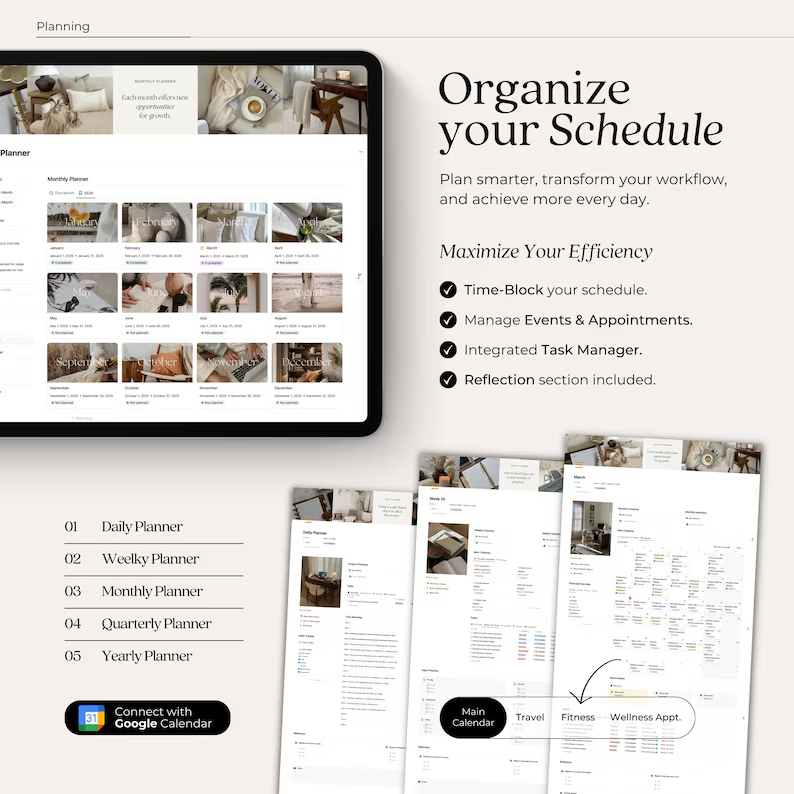
How to Download and Use These Templates
- Visit the Template Page: Click on the provided links to access the template pages.
- Duplicate the Template: Once on the template page, click on the “Duplicate” button to add it to your Notion workspace.
- Customize the Template: Personalize the template to fit your daily routine and preferences.
- Start Tracking: Begin using the template to monitor and improve your habits.
Tips for Maximizing Your Routine Tracker
- Consistency is Key: Regularly update your tracker to maintain momentum.
- Set Realistic Goals: Avoid overloading yourself; start with achievable habits.
- Review and Adjust: Periodically assess your progress and make necessary adjustments.
- Integrate with Other Tools: Consider integrating your tracker with other tools like Google Calendar for seamless scheduling.
Conclusion
Choosing the right Notion routine tracker template can significantly enhance your ability to build and maintain positive habits. By selecting a template that aligns with your goals and customizing it to fit your needs, you can create a personalized system that supports your journey toward personal growth and productivity.

Frequently Asked Questions (FAQs)
1. Are these Notion routine tracker templates free?
Yes, all the templates mentioned above are free to use.
2. Can I customize these templates to fit my specific needs?
Absolutely! Notion templates are highly customizable, allowing you to adjust them according to your preferences.
3. Do I need a Notion account to use these templates?
Yes, you’ll need a Notion account to duplicate and use these templates.
4. Can I integrate these templates with other tools like Google Calendar?
Yes, Notion allows integration with various tools, including Google Calendar, to enhance your planning experience.
5. How can I access more Notion templates?
You can explore a wide range of Notion templates by visiting the Notion Template Gallery.