
TL;DR Staying organized and maintaining a consistent daily routine is essential for productivity and well-being. Notion, a versatile all-in-one workspace, offers a variety of templates to help you plan and track your daily activities effectively. Whether you’re a student, professional, or someone looking to streamline your day, these templates can be a game-changer.
Key Takeaways
- Top Templates: Discover the best free Notion daily routine planner templates.
- Customization Tips: Learn how to personalize templates to fit your unique needs.
- Efficiency Strategies: Implement actionable tips to enhance your daily productivity.
- Integration Insights: Understand how to integrate Notion with other tools for a seamless workflow.
- Expert Recommendations: Benefit from expert insights and community feedback on top templates.
Top Free Notion Daily Routine Planner Templates
1. Daily Routine Timetable Template by Michael Itorobong Essiet
This template offers a structured timetable to organize your daily activities, making it easier to manage your time effectively. It’s ideal for those who prefer a visual representation of their day.
Key Features:
- Structured daily timetable.
- Easy-to-use interface.
- Customizable to fit your routine.
Why Choose It: Perfect for individuals who prefer a clear, time-blocked schedule.
2. Tracker: Daily Routine Template by Puzzle
This template focuses on habit tracking, allowing you to monitor your daily habits and routines. It’s great for building consistency and staying accountable.
Key Features:
- Daily habit tracking.
- Morning and evening routines.
- Customizable checklists.
Why Choose It: Ideal for those looking to build and maintain healthy habits.
3. Daily Planner Template by Ihsaanworks
A minimalist design that focuses on essential daily tasks, helping you stay organized without feeling overwhelmed. It includes a daily schedule, priority tasks, and notes section.
Key Features:
- Minimalist design.
- Daily schedule and to-do list.
- Notes section for additional thoughts.
Why Choose It: Great for individuals who prefer a clean and simple layout.
4. Daily Routine Planner (2025) by Benny Builds It
This comprehensive template allows you to plan custom routines for specific weekdays, organize your daily and weekly schedule, and stay on top of everything with a handy dashboard widget.
Key Features:
- Custom daily routines.
- Weekly schedule overview.
- Dashboard widget for quick access.
Why Choose It: Ideal for those who want a detailed and organized approach to their daily routine.
How to Download and Use These Templates
- Visit the Template Page: Click on the provided links to access the template pages.
- Duplicate the Template: Once on the template page, click on the “Duplicate” button to add it to your Notion workspace.
- Customize the Template: Personalize the template to fit your daily routine and preferences.
- Start Planning: Begin using the template to organize and track your daily activities.
Tips for Maximizing Your Daily Routine Planner
- Consistency is Key: Regularly update your planner to stay on track.
- Set Realistic Goals: Avoid overloading your schedule; set achievable tasks.
- Review and Reflect: At the end of each day, review your progress and adjust your routine as needed.
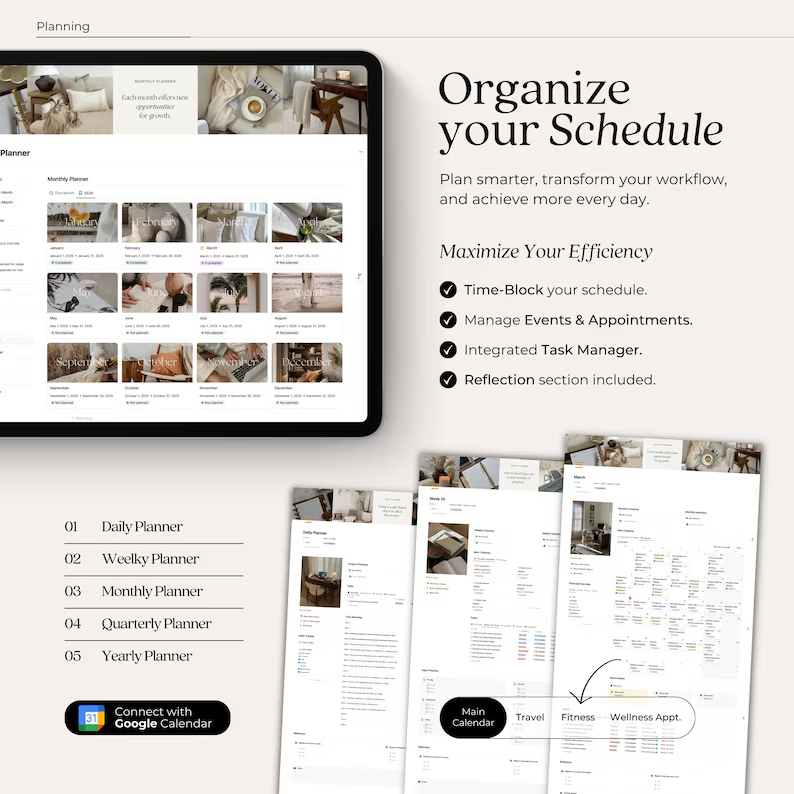
- Integrate with Other Tools: Consider integrating your Notion planner with other tools like Google Calendar for seamless scheduling.
Conclusion
Choosing the right Notion daily routine planner template can significantly enhance your productivity and help you maintain a balanced daily schedule. By exploring the templates mentioned above and customizing them to fit your needs, you can create a routine that works best for you. Remember, consistency and regular reflection are key to making the most out of your daily planner.

Frequently Asked Questions (FAQs)
1. Are these Notion daily routine planner templates free?
Yes, all the templates mentioned above are free to use.
2. Can I customize these templates to fit my specific needs?
Absolutely! Notion templates are highly customizable, allowing you to adjust them according to your preferences.
3. Do I need a Notion account to use these templates?
Yes, you’ll need a Notion account to duplicate and use these templates.
4. Can I integrate these templates with other tools like Google Calendar?
Yes, Notion allows integration with various tools, including Google Calendar, to enhance your planning experience.
5. How can I access more Notion templates?
You can explore a wide range of Notion templates by visiting the Notion Template Gallery.